

Trade
Placing orders
Learn how to open and close perp orders on HyperETH
Opening orders
To open a position, users will place an order under the Trade section on HyperETH.
Key steps:
- Choose direction
Buy/Long if you believe the asset price will rise, or Sell/Short if you believe the price will fall. - Select Order Type
Choose from market, limit, TWAP, or scale depending on how you want the order executed. - Enter Order Details
- Order Size (in USD or the asset, e.g. ETH)
- Price (for limit orders)
- TP/SL
- Reduce Only (defaults off when opening a new position)
- Select Margin Mode
- Cross Margin: Shares margin across positions.
- Isolated Margin: Risk is limited to the specific trade.
- Confirm the Order
Check the liquidation price, margin required, and confirm the order.
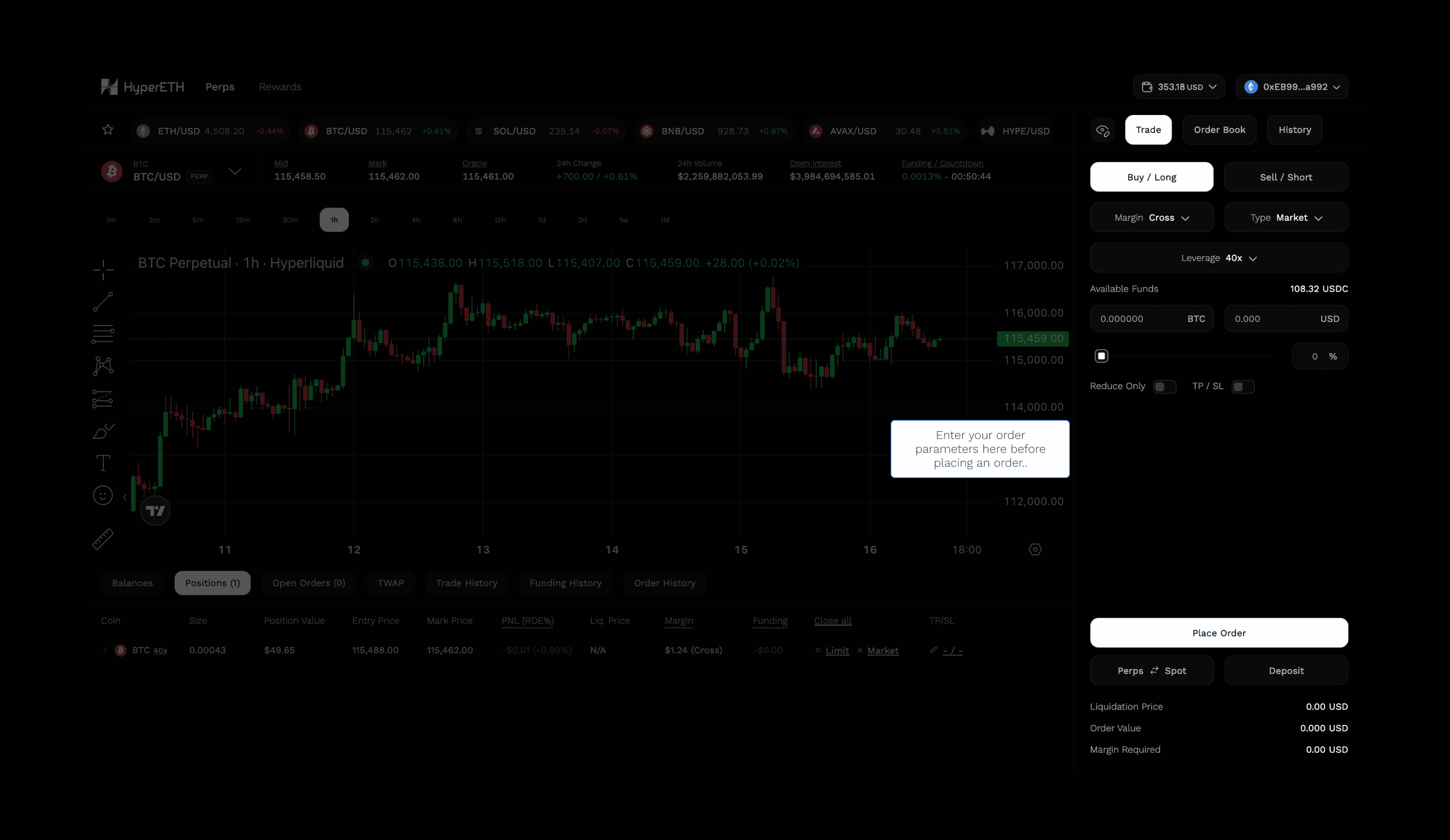
Once executed, your open position will appear in the Portfolio tab, with real-time PnL, margin ratio, and funding details.
Closing orders
To close a position, you’re placing an order in the opposite direction of your current trade:
- If you’re long (Buy) → Close by selling
- If you’re short (Sell) → Close by buying
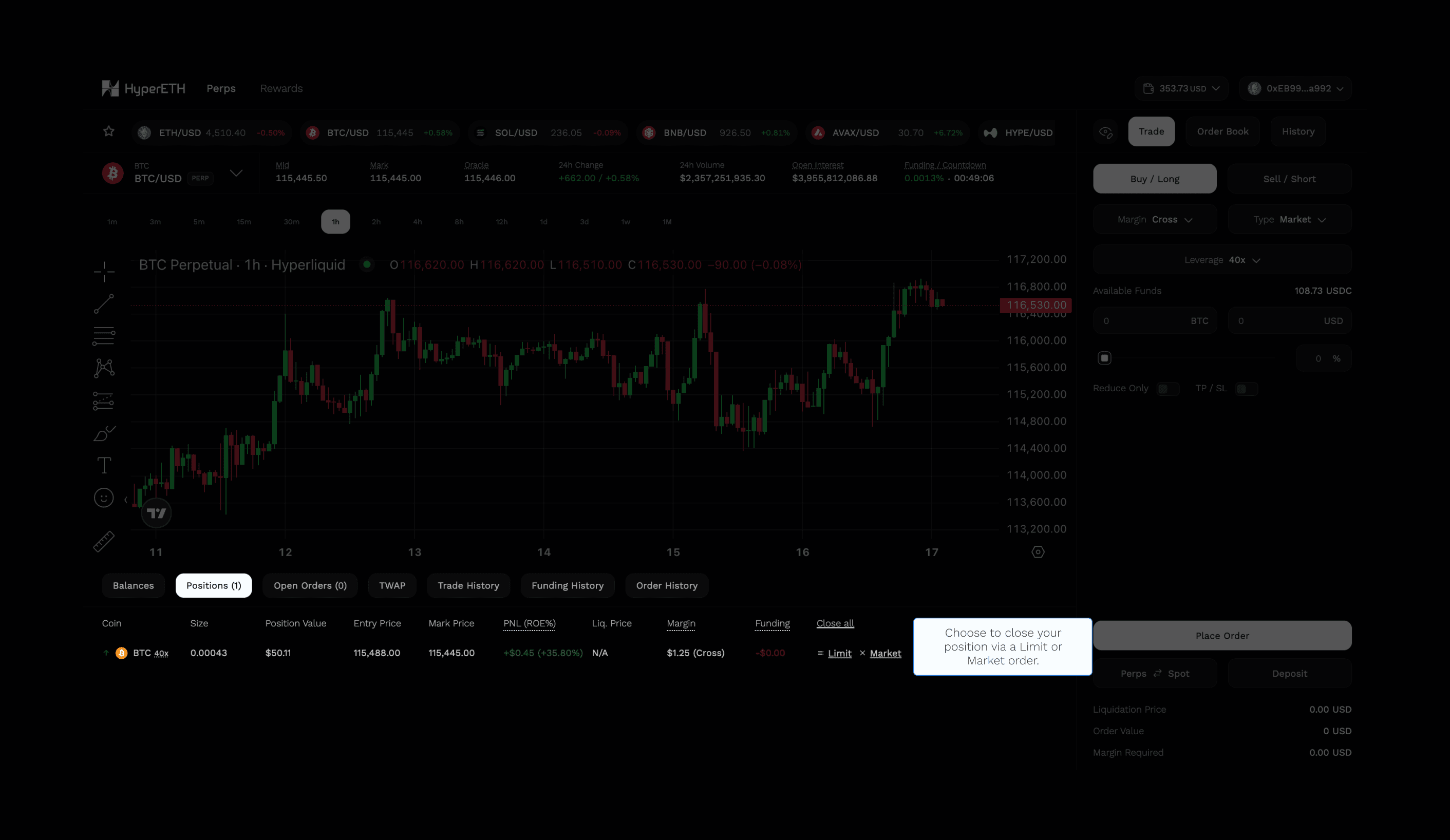
Closing orders can be done under the Positions tab with 3 different modes:
| Method | Description |
|---|---|
| Market Close | Instantly closes the entire position at market price. Fastest but may incur slippage. |
| Limit Close | Close at a specific price. More control, but not guaranteed to fill. |
| Close All | Close all current positions at either Market (for immediate exit) or Limit Order (at mid-price between best bid/ask for better pricing with lower slippage). |
Order minimum
The minimum order size to place a trade is $10.